




ANIMATOR - Free apps on ios
- Danny
- Dec 3, 2017
- 1 min read
You will learn that how to create animation using iPhone(ios) Animator App. You will also elaborate on frame by frame animation creation by developing two animations. You will also see how to use tools & various other available options. You will also learn that how to export into mp4 format etc.
First we will learn that how to use various tools & how to create & play the animation.
1. [endif]Download the apps on appstore- Animator.
[if !supportLists]2. [endif]After that open the flipaclip and create the project
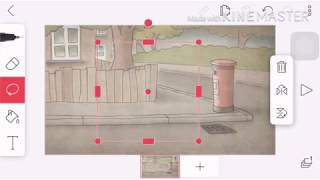
[if !supportLists]3. [endif]At the animator you can choose the background first from the app or your files image.
[if !supportLists]4. [endif]Then start draw your project image to see and you you can create your layout to make the movement.
[if !supportLists]5. [endif]From the movement you can set the object movement from 1 to 30 fps (frame per second).
[if !supportLists]6. [endif]Then you can make your own animation whatever you want.
Thanks.
Tutorial.
Comments